Notion migration

Move from Notion without hiding what changed.

Turn a Notion Markdown export into documentation with stable paths, local assets, and a visible report instead of carrying workspace identifiers into public URLs.

A report before a commitment

See what moves. Review what cannot.

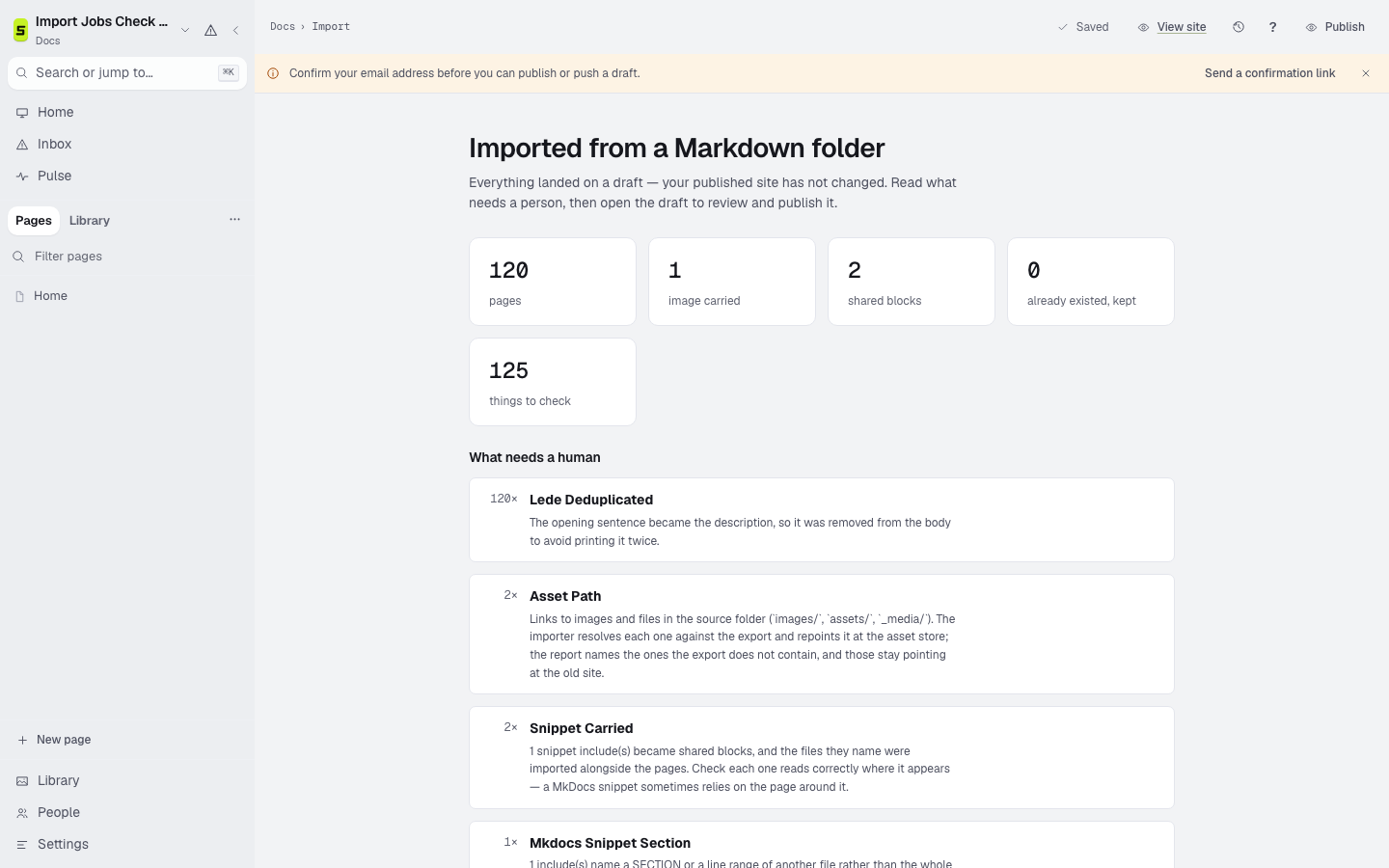
The import starts from a Notion Markdown export. It counts pages and assets, names changed paths, groups conversion notes by cause, and produces navigation for a person to review.

Preserved

Carried into the draft

  • Markdown pages and nested folder relationships
  • Links between exported Notion pages
  • Local images and files present in the export
  • Callouts with a portable documentation meaning
  • Page titles with Notion export identifiers removed from paths
Review

Named for a person

  • Database views and properties used as page content
  • Embeds that require Notion or another signed-in service
  • The final navigation order, which Notion does not export explicitly
  • Permissions, comments, and workspace-only relationships

The migration

Four steps, with the old site still available.

  1. 01Export

    Export the relevant Notion pages as Markdown and CSV, including subpages and files.

  2. 02Inspect

    Run the import report first. Nothing overwrites an existing page silently.

  3. 03Review

    Read the conversion notes, navigation proposal, changed paths, and missing assets.

  4. 04Launch

    Preview, crawl, add redirects, then move the domain only when the result is verified.

A Staleless Notion import report showing pages, assets, and items needing review

Verification checklist

The upload finishing is not the migration finishing.

Keep the source export and the old site until readers, search engines, assets, and redirects all reach the intended answers.

  1. 01Confirm every intended subpage appears in the report.
  2. 02Review normalized paths after Notion identifiers are removed.
  3. 03Replace database views and signed-in embeds with durable content.
  4. 04Create and test the published navigation before launch.

Bring a real export

See the migration report before you decide.

Other sources

Migrate from GitBook Migrate from Mintlify Migrate from Docusaurus Migrate from Markdown